Free · no account
Your circuit, at driver’s eye level.
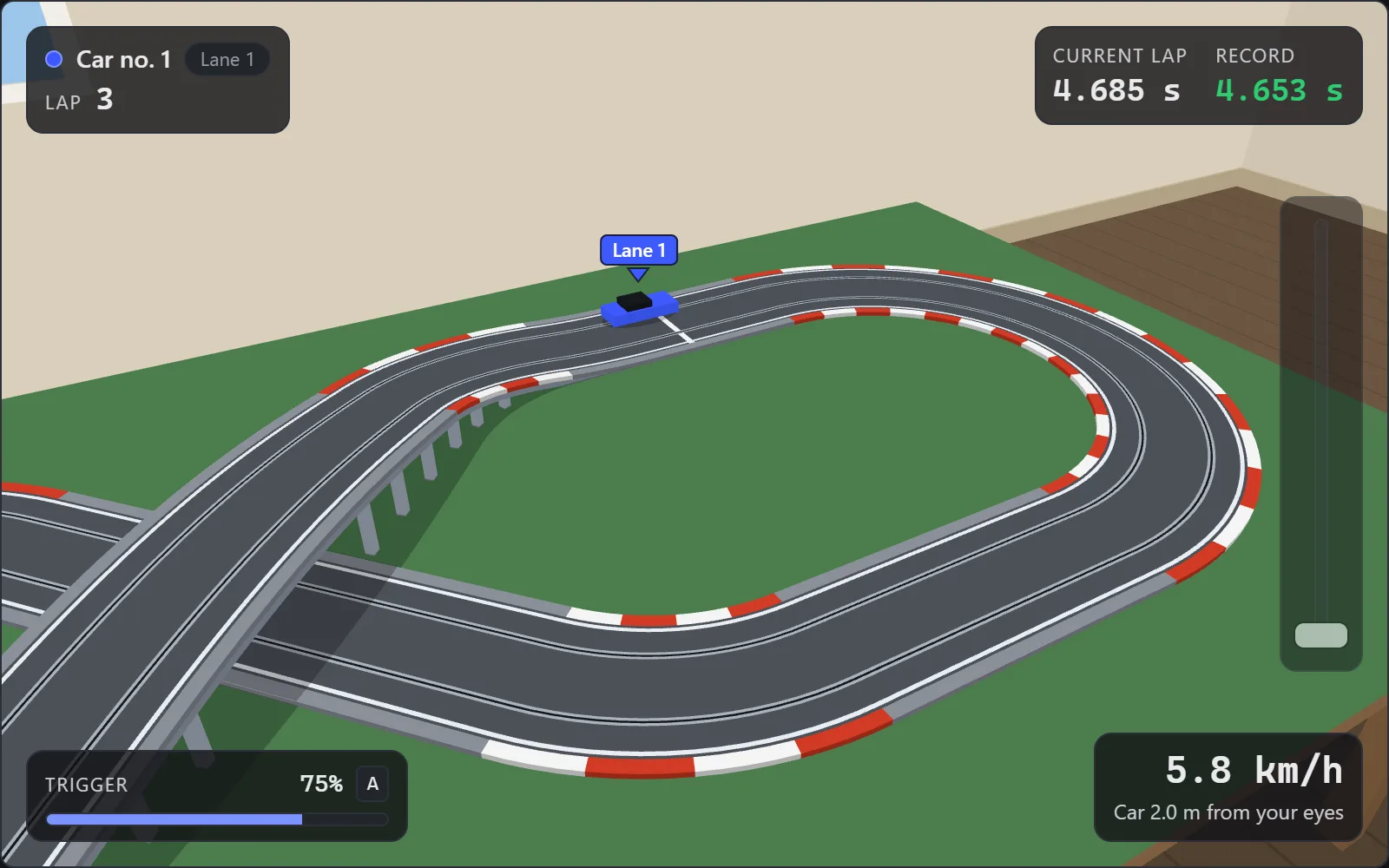
Open a circuit drawn in SlotPiste and drive it from the edge of the table, as if you were there: your eyes 1.60 m above the floor, a 1/32 car, the table at its real size.
Three steps, and you’re racing
Draw your circuit in SlotPiste
Piece by piece, with its table, in SlotPiste, the free circuit designer from the same range.
Save it
“Save” creates the circuit.json file. A SlotPiste share link works too: replace slotpiste.app with slotcourse.app in its address.
Open it in SlotCourse and race
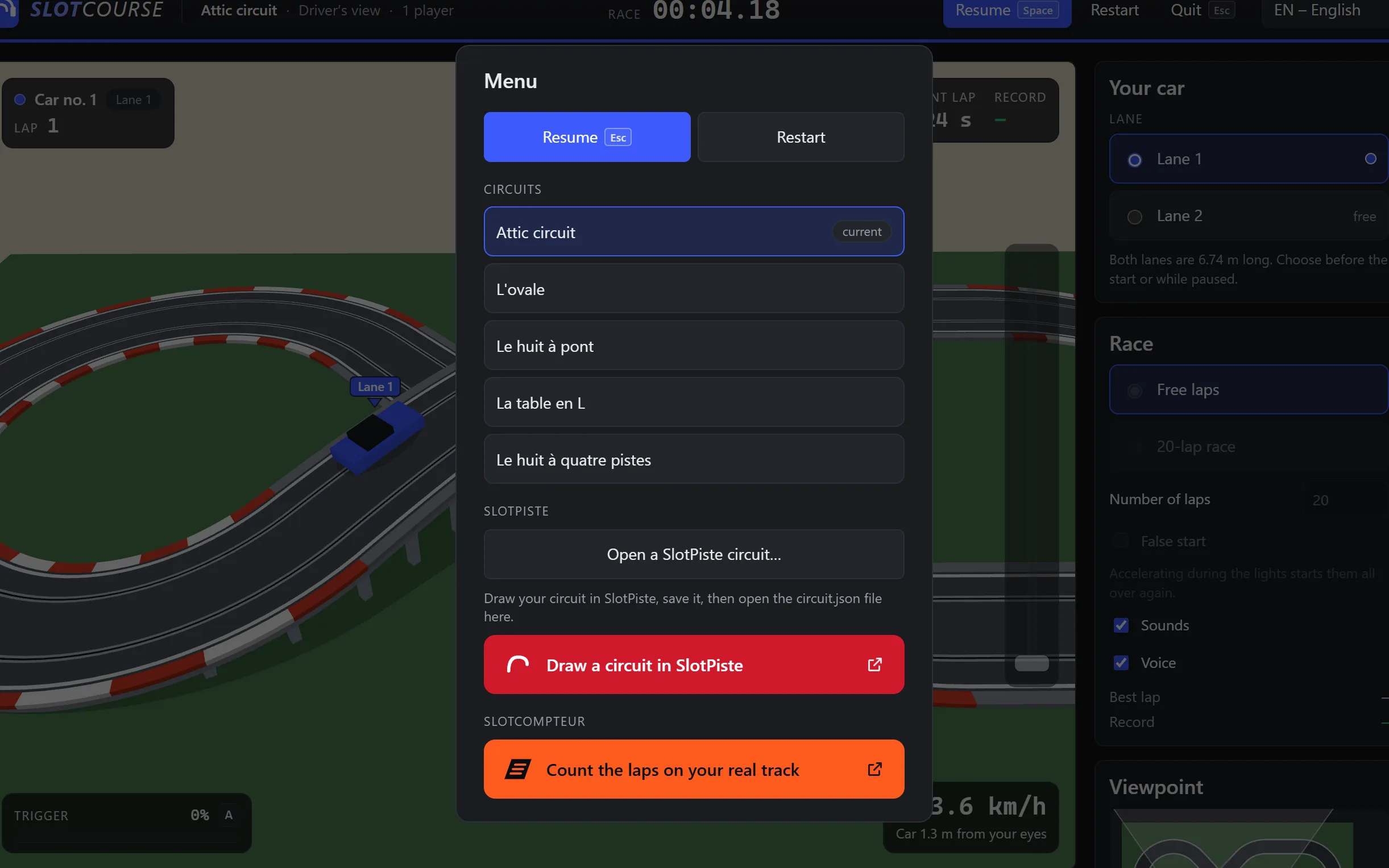
“Quit”, then “Open a SlotPiste circuit…”: your table appears. Take your place at the edge, press A, and off you go.
Just like standing at the table
Everything is to scale: the table, the track, the car and you. You see what you would see standing in front of your circuit.

The driver’s view, at real scale
You watch the track from your place, standing at the edge of the table: your eyes 1.60 m above the floor, a 14 cm 1/32 car. Your eyes follow it, and you choose where you stand around the table.

Your table, just as you drew it
Rectangle, L, U or custom with its cut-outs: the table from the SlotPiste file is rebuilt at its real size, bridges included.

Several tracks side by side
On a four-track circuit, the lanes are numbered 1 to 8, as at a club. You pick yours; the other tracks stay drawn around it.
Keyboard, mouse, finger or gamepad
The A key, a slider with the mouse or your finger, or a gamepad trigger: you control your speed as with a real controller.
Timing and races
Free laps or a race over the number of laps you choose, with the time of every lap. Your best lap on each circuit is kept in your browser.
Off the track
Too fast into a bend, the car loses grip and slides across the table. It is put back on the track by itself, and you drive on.
Nothing to draw
Circuits ready to race
No circuit of your own yet? The site offers several: pick one here, or later in the menu opened by “Quit”.
One range, three apps
Same publisher, same spirit: each one does one thing and hands over to the next.
-
Draw
SlotPiste
The 1/32 slot car circuit designer: piece by piece, with the parts list and the cutting plan for the table. Free, in the browser.
slotpiste.app -
Race
SlotCourse
Your circuit in 3D, from the driver’s position, at real scale. Free, in the browser.
You are here
-
Count
SlotCompteur
The lap counter for your real track: time of every lap, heats, public screen on the TV. For Windows, in spring 2027.
slotcompteur.app
Frequently asked questions
Is it free? Do I need an account?
It is free, with no ads, and there is no account to create: you open the app and you race.
Do I need SlotPiste?
Not to try it: the site’s circuits open straight away. To race on your own circuit, yes: you draw it in SlotPiste, also free, at slotpiste.app.
Which circuits can I race on?
Any closed circuit drawn in SlotPiste, opened from its circuit.json file or a share link, table included: bridges, tracks side by side, custom table. Chicanes and lane changers are driven as straights for now. If a layout cannot be driven, the app tells you why.
Does it work on a phone?
Yes, in the browser of a phone or a tablet: the trigger becomes a slider you hold with your thumb, along the right edge of the view. With the phone held sideways, you see more of the track. 3D needs a fairly recent device.
What about my data?
It stays with you. A circuit opened from a file is read on your device, then stored in the page address, after the “#”: that part of the address is never sent to the server. Your preferences and best laps stay in your browser. No cookies, no audience measurement (see Privacy).
Can I play with a gamepad?
Yes. Plug in a console gamepad, press one of its buttons so the browser sees it, then squeeze the right analogue trigger, or the left one. Start pauses the race.
Your track is waiting.
Nothing to install: SlotCourse opens in your browser, and the car is waiting on the grid.
Race now